SK.
Sagar Kumar
Portfolio · © 2026
All Work
B2C · Conversational AI · Jio Platforms · 2025

Jio AI Chat Pattern

Designing a unified AI chat pattern and centralised component library in JDS — enabling consistent, proactive conversational experiences across iOS, Android, and Web for all Jio and RIL businesses.

Role
Lead UX UI Designer
Company
Jio Platforms Ltd.
Platform
iOS · Android · Web
Process
Double Diamond
Status
In Progress · 2025
Final Designs
Jio AI Chat Pattern — final design
"To revolutionise the Jio Chat platform, our design vision is to create a centralised repository of multi-domain business-specific components in the JDS for native apps & Web chat, which isn't currently supported well by Haptik. It will enable consistent experiences across Jio & RIL businesses, reducing learnability for our customers."
Problem

Jio's customer support was fragmented across separate Haptik-powered chatbots for each business unit — no shared components, no consistency, no scalable JDS backing. Only 32% of users reaching the support section were actually engaging with chat.

Opportunity

1.25 lakh users hit the support section monthly. Introducing quick actions, cross-sell flows, and a JDS-backed component library would convert passive support traffic into active engagement — and deflect costly agent calls.

Double Diamond Framework

PROBLEM PROBLEM DEFINITION SOLUTION STRATEGY EXECUTION DIVERGE CONVERGE DIVERGE CONVERGE Discover Define Design Deliver
01
Discover
Research Phase
  • Problem Identification
  • Understanding the Problem
  • Secondary Research
  • Primary Research
  • User Survey & Findings
02
Define
Synthesis Phase
  • User Personas
  • Flow Diagrams
  • How Might We?
03
Design
Ideation Phase
  • Ideation & Conceptualisation
  • Design Vision
  • Conversational Architecture
04
Deliver
Implementation Phase
  • High Fidelity Screens
  • Design Detailing
  • Prototyping
  • User Testing
01
Phase One
Discover

Problem Identification

The chatbot is a self-service response system — in many cases the first line of support for Jio customers through digital channels. It's designed to quickly address incoming inquiries through human-like conversation without needing an agent's intervention.

For Jio, it handles common, predictable queries representing a significant share of total inbound volume. While individually straightforward, these queries collectively consume enormous time and resources when handled manually. The problem: Jio's chat was fragmented, inconsistent across verticals, and deeply underused — with next-generation AI-driven chatbots now offering context-specific experiences and elevated personalisation, the gap was widening.

Understanding the Problem — Data

Data from past 6 months revealed a sharp drop-off funnel. Only 32% of users reaching the support section were engaging with chat.

App Users (total base)
12,556 100%
Visited Support / Help section
8,304 66%
Visited one or more queries
6,230 50%
Engaged with Agent or Chatbot
4,085 32%

20% churn on accessing the Product Section — Discovery is the issue. Opportunity loss from missing quick actions. Solution: Introduce Quick Actions and cross-sell for better discoverability.

Secondary Research

Desk work conducted with the business to establish second-hand data and validate the purpose before moving to primary research. The Chat component is used to display real-time and past chat logs between service agents and customers, with sub-components covering different chat item types — across B2B messaging, live chat for Retail, EdTech, and other Jio businesses.

Desk Finding 01
20%

Decrease in chatbot usage in the Jio app over 6 months — and a 12% decrease in Product Support Engagement, signalling a UX and discovery problem.

Desk Finding 02
1.25L

Users reach the support app monthly. 83% visit chat, 63% try using chat support, but only 40% are actively using it — a steep engagement cliff.

Desk Finding 03
MyJio & Ajio lead

Majority of users had not used Jio chatbots. Most-used chat within Jio businesses: MyJio and Ajio. JioMart (18), JioCinema (3), Ajio (6), MyJio (45), JioMeet (6), JioSaavn (13) users surveyed.

Primary Research

After secondary research, primary research was conducted — in-person and telephone interviews as part of qualitative research — working closely with target users to uncover hidden information about their Jio chat usage (web + mobile), issues, and flaws.

Research Goal 1

Understand user pain points and emotions when using the Jio Chat Application.

Research Goal 2

Understand mental models, needs, and frustrations of users from ground zero.

Research Goal 3

Access behaviour and beliefs to produce data on user preferences across the platform.

User Survey & Findings (94 respondents)

Responses from diverse geographical, educational, and professional backgrounds — capturing usage patterns, challenges, and chatbot preferences.

Have used chatbots before
70%
Tracking Orders & Queries
28%
Registering Complaints
29%
Technical Assistance
20%
Payments & Refunds
15%
+ve Feedback
  • Quick response times
  • Easy connect with Human Agent
  • 24x7 availability
−ve Feedback
  • Unhelpful responses
  • Lack of personalised experience

Survey's Key Findings

The purpose of the survey was to understand the experience of the participants (94 respondents) with chatbot systems and their preferences on when and how participants reach out to chat, what are the challenges & feedbacks.

Through the survey, we captured responses from individuals from different geographical, educational and professional backgrounds.

How many participants have used chatbots?
70%
Yes — 70%
No — 30%

Majority of users have used chatbots and have visibility on how it works.

How many participants have used Jio businesses chatbots?
MyJio — 45%
JioSavaan — 13%
JioMart — 18%
JioCinema — 3%
Ajio — 6%
JioMeet — 6%
None — 9%

Most used chat within Jio businesses are MyJio and Ajio.

Positive & Negative impressions of Chatbots to our participants
Quick
resp.
Human
agent
24x7
Unhelpful
resp.
No
personal.
+ve Feedback
  • • Quick response times
  • • Easy connect with Agent
  • • 24x7 availability
-ve Feedback
  • • Unhelpful responses
  • • Lack of personalisation
What are the reasons for interacting with chatbot?
Suggestions & Recommendations — 29%
Registering Complaints — 8%
Payments & Refunds — 20%
Technical Assistance — 28%
Giving Feedbacks — 15%
What respondents love:
  • • Order tracking and status updates
  • • Product recommendations
  • • Troubleshooting and technical support
How many participants like voice chatbots over conversational chatbots?
55%
Voice chatbots — 55%
Conversational — 45%

Majority of the users have used chatbot and they have visibility on how it works.

Key Takeaway

Users know how chatbots work but have not used Jio's specifically. The gap lies in discoverability and trust — not awareness.

70% already use chatbots — familiar with the format
45% cite MyJio as most used Jio chat platform
55% prefer voice — opportunity for multi-modal design

Benchmarking With Other Apps

6 Platforms were selected for competitive analysis as we compare features, strengths, weakness relative to Jio as an organisation.

Websites/Tools →
Features ↓
Haptik Freshchat Velocity Intercom Zendesk ChatBot
Templates
Chatbot Stories that let you launch task-specific chatbots in just a few clicks
Customisation
Built-in ready-to-use, personalised message, with or without human interface, no code solution, modify response time
Omni-Channel Support
Stitch conversations from all channels like WhatsApp, Facebook, Slack, Instagram & Telegram etc. and bring them under 1 roof
Interactive Flow Builder
Compile & structure questions and their subsequent answers or various replies to certain customer queries
Multi-Language Capabilities
Emotional Intelligence
Reads whether the customer is angry, confused, or happy. Underlying emotions & intent of customers, responds appropriately
Type of Chat System
Menu Base + AI Menu Base + Conversational ChatGPT-powered AI chatbot Menu Base + Keyword Menu Base + Keyword Menu Base + Conversational
Demo
Target Industries
FinTech
E-Commerce
Education
Healthcare
FinTech
E-Commerce
Education
Healthcare
E-Commerce FinTech
E-Commerce
Education
Healthcare
FinTech
E-Commerce
Education
Healthcare
FinTech
E-Commerce
Education
Healthcare

Heuristic Analysis on Jio Business Chat

The main purpose of the heuristic evaluation is to determine how current systems are working and establish usability principles like Nielsen's heuristics or others specific to the project.

Apps evaluated — JioMart, JioCare, Ajio, JioCinema & JioMeet

Summary of Findings

A high-level overview of the key findings from the evaluation — areas of the interface that performed well and areas that need improvement. Each finding is linked to a specific heuristic or usability principle.

  • → System provides better user intent and understands the user requirements.
  • → System can give better error handling and eliminate all possible use-cases.
  • → User should have better control and freedom — chatbot should give leverage to users to express themselves and understand their intent.
SR VIOLATION PRINCIPLE VIOLATED RECOMMENDATION INSTANCE SEVERITY
1 The system provides a read status but it is very small to observe. The system also replies instantly without wasting a second.
Visibility of system status
Keep users informed about what's going on, through appropriate feedback within time.
Tick marks can be increased in size. For the chatbot to be not too robotic, we can have a "..typing" before every message. JioCare Chatbot 2
2 The system asks for authentication then says type "Hello" to proceed. This differs from usual behaviour where a user is shown app value after authentication.
Match between system and the world
Follow real-world conventions, making information appear in a natural and logical way.
Users can have the menu directly after entering OTP — that is the expected behaviour after successful authentication. JioCare Chatbot 2
3 Quick buttons disappeared by themselves when no click action was taken. The user might have to repeat all steps to reach the same point again.
User control and freedom
Users should leave the unwanted state without having to go through an extended dialogue. Undo and redo.
Buttons should remain so the user picks up where they left off without having to retype the same query. JioCare Chatbot 3
4 There is no way a user can change their number in case of a wrongly entered number, or when using two Jio SIMs.
Error prevention
Eliminate error-prone conditions or present users with a confirmation option before they commit to the action.
If history is stored and the user creates another session, a way to change number should always be provided. JioCare Chatbot 3
5 After completing a number of steps, there is an error from which the system doesn't help the user recover.
Help users recognise, diagnose, and recover from errors
Error messages must be clear, precise, and offer solutions.
Fallout scenarios must be mapped out well, reducing the steps in each direction. JioMart 3
6 No usability issue here. The system provides the user with options in every step where it understands the user's query and intent.
Recognition rather than recall
Minimise the user's memory load by making elements, actions, and options visible.
NA JioCinema, JioMeet, Ajio & JioMart 0
7 The system is consistent throughout in the way the UI is designed, the choice of words and their meanings.
Consistency and standards
Users should not be left guessing about the meaning of words, situations, or actions.
NA JioCinema, JioMeet, Ajio & JioMart 0
8 Users are not readers. A user wouldn't know more options exist if they fail to see the hamburger menu or know what a text-box is. They may be clueless if they don't understand English.
Help and documentation
Users should not be left guessing about the meaning of words, situations, or actions.
Show users all options upfront, or show a button with "All Menu" written. Show the hamburger menu exists via micro-animation. Before authentication, show the language selection option. JioCare Chatbot 2
3 Major usability problem — high priority fix
2 Minor usability problem — low priority fix
1 Cosmetic problem — fix if time is available
0 Not a usability problem
Key Insight

The problem is not awareness — users understand chatbots and want to use them. The problem is trust, discoverability, and perceived usefulness. Users abandoned because every path looped back to unhelpful responses. The opportunity: quick actions, personalisation, and a consistent JDS-backed component system across all Jio verticals.

Visual 02 · Heuristic Violation Evidence · iPhone 17 Pro · Replace with actual screens
9:41
🤖
JioCare Chat
● Online
Authentication successful ✓
Please type Hello to proceed.
Why not show the menu?
Type a message…
V2 · Severity 2
Match between system & world
Post-auth should show the menu directly — not ask user to type "Hello"
9:41
🤖
JioCare Chat
● Online
How can I help you today?
Track Order Recharge Raise Issue
Buttons vanished — user stranded
Type a message…
V3 · Severity 3
User control & freedom
Quick reply chips vanish on timeout — user must retype query from scratch
9:41
🛒
JioMart Support
● Online
Track my order #JM884921
Fetching your order details…
⚠ Something went wrong. Please try again later.
No retry · no menu · no agent
Type a message…
V5 · Severity 3
Help users recover from errors
Dead-end error state — no retry, no menu, no path to an agent
↑ iPhone 17 Pro mockups illustrating violation scenarios · Replace each device screen with an annotated screenshot from your research session · Artboard: 393 × 852 px
02
Phase Two
Define

User Personas

Based on interview responses, 5 user personas were designed for the chat platform. Insights for user needs, pain points, and general behaviour were greatly aided by personas — allowing more effective and targeted solution design.

👩‍💼
27 · F · Single
Bangalore, KA
Athira
Data Science Specialist · IT Industry · Retail Persona
"I feel like the food industry is so cluttered right now. It's kind of hard to break through and actually find products in a single platform — I get overwhelmed with the variety of products available."
Goals & Needs
  • → Stock groceries for everyday use & be healthy
  • → Feel confident in purchases through peer validation
  • → Products with clean ingredients that won't harm health
  • → Good discounts and quick delivery when needed urgently
Pain Points
  • → Switches apps when researching in-store
  • → Too many fake products — hard to find trusted ones
  • → Stands in the aisle 30+ min unsure what to pick
  • → Abandons purchase if better discounts aren't available
📱 Mobile-first JioMart · MyJio · Swiggy Reviews & Testimonials-driven
👩‍💻
22 · F · Single
Bangalore
Shalini
IT Professional · Insights Manager · Retail Persona
"I feel like the skincare industry is so cluttered right now. It's hard to break through and actually find products. I get overwhelmed with the variety of products available."
Goals & Needs
  • → Look good & maintain healthy skin
  • → Confident in purchase through social proof
  • → Products with clean ingredients that won't damage skin
  • → Discounts, and skin to stay active after a long day
Pain Points
  • → Does deep research but still checks phone in-store
  • → Overwhelmed by too many product choices
  • → Loves testing in-store but questions if it'll actually work
  • → Goes to multiple beauty shops — no single source of truth
📱 iOS 60% · 💻 Desktop 33% Instagram · LinkedIn · Myntra In-depth researcher · social-proof led
🧑‍🎓
20 · M · Married
Pune (from Khorda, Odisha)
Raman
Student · Aspiring UPSC Candidate · EdTech Persona
"I feel as if I waste a lot of time."
Goals & Needs
  • → Thoroughly prepare for UPSC — no topic left out
  • → Explore career options if he doesn't clear the prelims
  • → Do something meaningful for his community
  • → Access a mentor community for instant doubt resolution
Pain Points
  • → Subject selection confusing — can't weigh pros/cons
  • → Juggles chores, coaching, self-study — poor time org
  • → YouTube takes too long; no instant mentor access
  • → Biweekly assessments — can't adjust prep style fast enough
💻 Laptop 80% · Android 20% YouTube · WhatsApp · Facebook Peer trust · review-led decisions

User Flow Diagrams

Separate user flows were mapped for the two primary verticals — Retail and EdTech — reflecting distinct intents, task types, and escalation paths in each domain.

For Retail Domain
Browse / product query intent triggered
Quick action selection (track / refund / recharge)
Bot resolution or payment deep-link
Intelligent handover to live agent when needed
For EdTech Domain
Learning query or performance question
Results, improvement areas & mock test creation
Tutor / mentor connection flow
Post-session feedback collection
Retail Domain — User Flow
← SCROLL HORIZONTALLY TO EXPLORE →
Start
👋 Welcome to Jio Chat
Hi! How can I help you today?
🌐 Select Language
English
हिंदी · தமிழ் · తెలుగు
🔐 Registered user?
✅ Verified → Main Menu
Choose a category below
📊 Reports
Select Report Type
Bill Details
Recharge History
Payment Records
Last Recharge
App Transactions
⏳ Fetching account data…
Querying backend in real time
📋 Data displayed to user
Formatted WhatsApp message card
✓ Resolved
Anything else I can help?
🚨 Complaints
Issue Category
Network Problem
Billing Dispute
Service Issue
Device Problem
📝 Describe your issue
Free-text or quick-reply chips
🎫 Ticket #XXXXX raised
ETA: 24–48 hrs · SMS confirmation
✓ Auto-resolved
🧑 Agent handover
Context pre-loaded for agent
💳 Payments
Payment Action
Recharge
Bill Payment
Refund Status
Points Redemption
📱 Enter mobile / acct no.
Auto-filled if registered
💰 Select amount
₹199 · ₹399 · ₹599 · Custom
🔒 Payment Gateway
UPI · Card · Net Banking
✓ Payment success
Receipt via WhatsApp
↩ Failed — Retry
Try different method
🔧 Technical
Issue Type
App Not Working
Network Problem
Service Outage
SIM / Account Issue
🤖 Running auto-diagnostics…
Checking network + account status
Issue auto-resolved?
✓ Yes — resolved
🎫 Raise support ticket
Priority queue + agent assigned
🧑 Escalate to live agent
Full context transferred
⭐ Feedback
Rate your experience
⭐ Tap 1–5 stars
💬 Leave a comment (optional)
Tell us how we did
✓ Feedback recorded
Thank you! See you soon 👋
↑ All flows delivered via WhatsApp Business API — cloud-hosted, end-to-end encrypted · Human handover includes full conversation context
Quick-reply menu node
Bot message / response
AI / async processing
Decision / condition
Resolved / success
Human agent handover
Error / retry state
External gateway
5
paths
3
escalations
Visual 04 · Retail Domain
Retail User Flow
WhatsApp Business API chatbot covering Reports, Complaints, Payments & Recharge, Technical Support and Feedback — with intelligent agent escalation at each decision node.
BRANCH A · AI TUTOR
BRANCH B · COURSES
5
paths
3
escalations
Visual 05 · EdTech Domain
EdTech User Flow
Learning platform flow with two primary branches — AI Tutor consultation and Course Recommendation — each with progress tracking, booking flows, and escalation to human tutors.

How Might We…

Constructing HMW questions generated creative solutions while keeping the team focused on the right problems to solve.

How might we sell products to users with the help of the chatbot — using conversational marketing to understand what they need, where they are in their buying journey, and removing friction from the buying process?
How might we collect meaningful customer feedback — proactively asking for reviews and implementing implicit feedback mechanisms to understand customer needs and enhance satisfaction?
How might we improve customer care — making support available 24/7, reducing hold times, and providing agents with contextual information upfront to resolve queries faster?
How might we automate repeat customer support enquiries — handling multiple messages simultaneously and routing customers quickly to the right place across website, in-app, and social channels?
How might we reduce abandoned carts — reminding customers about incomplete purchases and making the checkout process as simple as possible?
03
Phase Three
Design

Ideation & Conceptualisation

Various themes were defined for the chatbot pattern strategy — exploring how the chatbot can serve each persona across all Jio verticals.

Theme 01
Personalisation

Personalised recommendations based on preferences, chat history, likes & dislikes. Immediate suggestions on products or better versions of selected products.

Theme 02
Cross-sell & Up-sell

Offering different products based on what customers are interested in or have already bought. Suggestions on pre & post purchases to increase basket value.

Theme 03
Multiple Tasks Within Chat

Payments, cart history, apply & redeem points, schedule appointments, live status on complaints, recommendations, agent connect — all within one interface.

Theme 04
Intelligent Handover

Seamlessly transferring to a human agent based on user intention and query complexity. Agent receives full conversation context — no dead ends, no abrupt cuts.

Theme 05
Improved Learning

Knowing the user's buying intent and offering product reviews, discounts, and brand comparisons. Feedback loops build continuous improvement in conversational data.

Theme 06
Conversational Architecture

Domain-specific flows for Retail — mapping the taxonomy of intent categories to clear resolution paths, with graceful fallbacks at every decision node.

Design Vision

Vision Statement

"To revolutionise the Jio Chat platform — create a centralised repository of multi-domain business-specific components in the JDS for native apps & Web chat, which isn't currently supported well by Haptik. It will enable consistent experiences across Jio & RIL businesses, reducing learnability for our customers."

Conversational Architecture — Retail Domain

The conversation taxonomy was mapped across the top intent categories. Each branch required clear intent detection, a defined resolution path, and a graceful fallback to agent escalation.

Order Tracking & Status

Quick lookup + live status + delivery updates

Payments & Refunds

Payment flows, refund initiation, points redemption

Recharge & Plans

Plan info, quick-select, deep link to payment

Technical Assistance

Auto-diagnostics + ticket raise + network support

Feedback & Complaints

Post-interaction survey, complaint logging, escalation

Intelligent Handover

Context-aware agent transfer when confidence drops

Design & Ideation Visuals
Jio Chat — Ideation Board · Chatbot Pattern Strategy
6 THEMES · 2024
100%
← Input Patterns →
← Resolution Patterns →
01 · INTENT RECOGNITION
Smart Intent Recognition
NLP-powered routing
Confidence scoring
0.0 – 1.0 scale
NLP fallback
→ live agent
Multi-intent detection in single message
02 · QUICK REPLY PATTERNS
Contextual Quick Replies
Chips + free-text balance
Dynamic chip
generation
Surface most-used
paths first
Chips vs free-text — context decides
03 · PROGRESSIVE DISCLOSURE
Progressive Disclosure
Step-by-step info reveal
Don't overwhelm —
one step at a time
"View More" for
all options
Confirm before irreversible action
04 · GRACEFUL ERROR RECOVERY
Graceful Error Recovery
Never a dead end
Friendly error
language only
Always offer
restart / home
Retry with suggested alternatives
05 · HUMAN-AI COLLABORATION
Human-AI Collaboration
Warm handover with context
Set wait time
expectations
Agent sees full
chat history
No hard cutoffs — gradual transition
06 · PERSONALISED CONTEXT
Personalised Context
Adaptive responses
Greeted by name
on return
Pre-fill from
account data
Learn + adapt from past sessions
Input
Interaction
Presentation
Resilience
Handover
Personalisation
Design · Ideate · Workshop 2024
Jio Chat — Conversational Architecture Diagram · 2024
Start Greet thecustomer Ask forcustomer's name Is thecustomera new or...? Ask for customer'spref... Isth... Ask forproduct details Is theproductin stock? Provide productinformation Apologize andsuggest alternatives Suggest popularproducts Ask if thecustomer needs... Is thecustomerready topurchase? Assist withthe checkoutprocess Thankthe custom... Ask forcustomer's previ... Is the orderrelated to aspecific iss...? Assist withresolvingthe issue Updatethe order status Thankthe custom... Thankthe custom... New Returning Yes No Yes No Yes No Yes No
Process Node
Start / End Node
Decision
AI-Powered Node
No / Fallback Path
Primary Flow
04
Phase Four
Deliver

UI Style Guide — JioType & Colour System

Together with Monotype, Jio created its corporate typeface — JioType. The forms are largely geometrical but feature friendly, open curves — designed to work across analog and digital environments. For us it was important that the typeface works in both contexts.

JIOTYPE — CORPORATE TYPEFACE
Aa Bb Cc Dd Ee
Ff Gg Hh Ii Jj Kk Ll Mm Nn Oo
0 1 2 3 4 5 6 7 8 9  ·  ! @ # $ % ^ & * ( )

The colour system was inspired by India's vibrancy — from the explosion of Gulal at Holi to vibrant herbs & spices. Colour conveys meaning, directs attention, creates mood, and brings digital experiences to life.

Primary Blue — "Splendid Fairy-Wren"
#0F3CCC
Secondary — "Blue Bureau"
Complementary · accent · section distinction
Sparkle Bright Blue — "Shade of Cyan"
#0078AA · used sparingly for positive moments

High Fidelity Screens

Final UI covered two primary verticals. Each screen was designed to JDS spec and built to be configurable as a no-code embeddable widget across Jio business properties.

Retail Domain
Multi-task chat interface

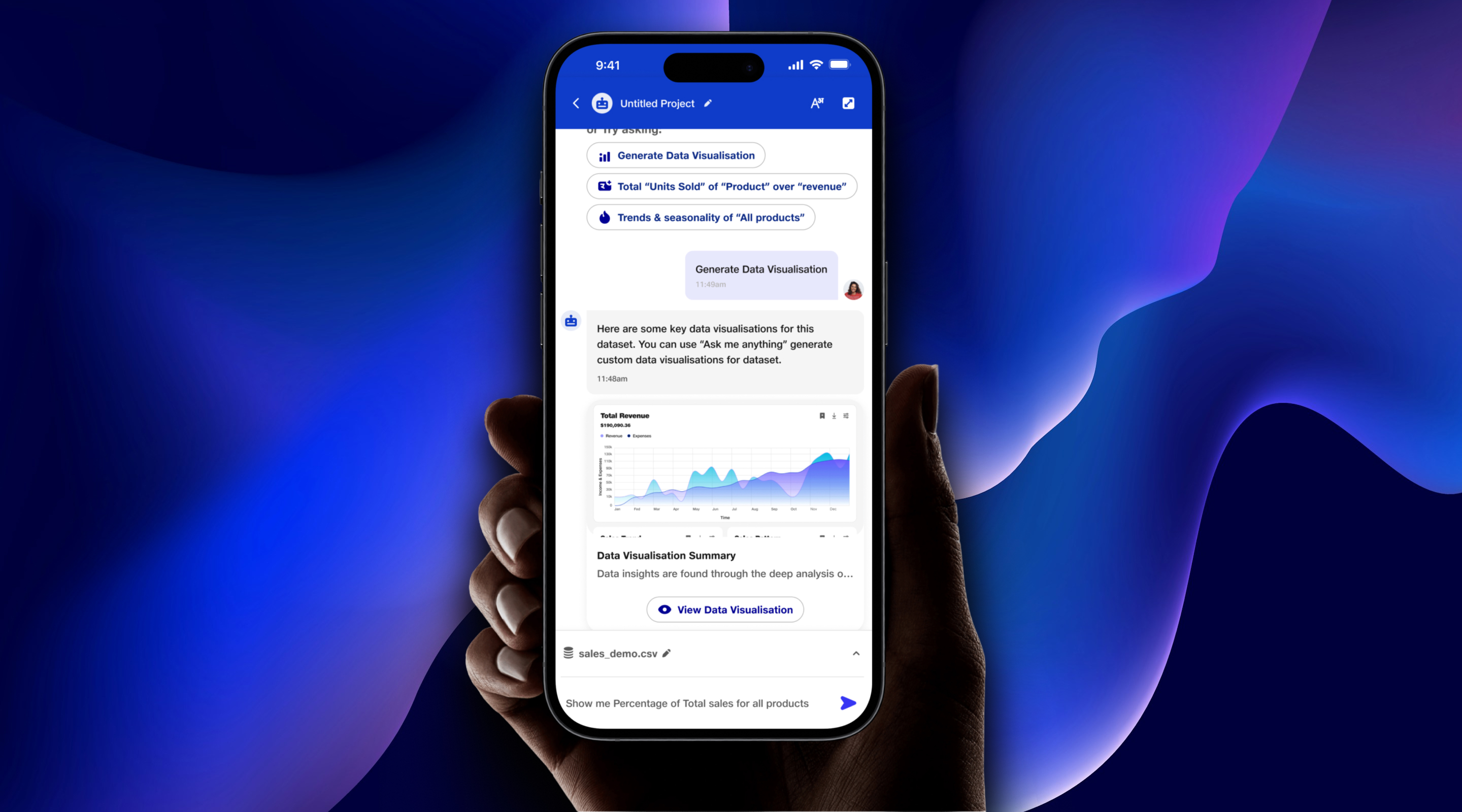
A screen responsible for showcasing multiple tasks achievable within the chatbot — categorised into data insights, visualisation, and personalised custom chat messages. Users can track orders, view cart history, apply points, and connect with agents without leaving chat.

EdTech Domain
Interactive learning solution

Users can meticulously create new mock tests, access results and areas of improvement within chat, and connect with Tutors/Mentors directly. Performance data (e.g. "21% decrease in percentile — impact of wrong answer") is surfaced conversationally for targeted improvement.

High Fidelity Screen Exports
Full HiFi Screen Gallery — Retail & EdTech
Visual 09 — Retail Chat Screen
Visual 10 — EdTech Chat Screen
Visual 11 — Agent Handover Screen
05
Phase Five
Test

User Testing & Outcomes

Moderated usability testing across retail and EdTech archetypes — 2 rounds of iteration between sessions with 8 participants each.

Round 1 · Findings
Handoff trigger unclear
6 of 8 users missed the "connect to agent" option — it was buried after 3 failed intents. Task success for complex queries: 62%.
Dead-end responses felt like failure
Fallback messages like "I didn't understand" caused 4 users to abandon — no next-step guidance offered. Satisfaction at this stage: 2.8 / 5.
EdTech course-booking flow too long
5 of 8 EdTech users dropped at the 4th confirmation step — perceived as redundant vs. direct app navigation.
Iterations Between Rounds
Surfaced proactive handoff prompt after 2nd unresolved intent — "Shall I connect you to a Jio agent?" added as persistent option.
Rewrote all fallback messages to include a suggested action: "Try asking about recharge plans or bill status" as quick-reply chips.
Collapsed EdTech booking confirmation to a single-step summary card — reduced flow from 4 steps to 2.
Round 2 · Post-Iteration
Task completion recovered strongly
Complex-query task success rose from 62%89%. Users reported the handoff cue felt "natural, not a failure state."
Satisfaction score climbed
Overall usability CSAT: 4.1 / 5 (up from 2.8). Quick-reply chips in fallback states rated highest — "felt like the bot still knew what I needed."
EdTech edge case flagged late
2 users booking a course in a subject not yet in the catalog hit a silent dead end — no "coming soon" fallback existed. Added to backlog post-session.
What I'd Do Differently

We underestimated the edge-case complexity in the fallback-to-human handoff flow. Conversational dead ends found in QA could have been caught earlier with more diverse user testing. Next time: stress-test failure states as rigorously as the happy path — and involve real support agents in QA from the start.

Launch Impact

Post-launch metrics measured across MyJio and Jio Retail over the first 90 days in production.

2.6 → 4.2
CSAT score — enhanced convenience & control via chat across all verticals
55–60%
Support call reduction via self-service on MyJio & Jio Retail
8–10s
Average customer wait time — 50–60% faster than pre-launch baseline
Explore More Work
See all projects →
Back to All Work